Benefits of LiteManager

Security
Several security subsystems are available in the program - Windows NT and LiteManager. All data is encrypted over the network, using advanced technologies and protocols for key exchange, also provides protection against DDOS attacks and password guessing
MoreCrossplatform
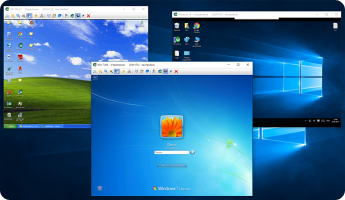
LiteManager multiplatform program supports work Computer with Computer, Mobile Application with a Computer supporting Windows, macOS, Linux, iOS, Android operating systems
More


Free version available
The free version has all the basic features and allows you to manage up to 30 computers simultaneously and without restrictions absolutely free! Or more, if you have a license key
MoreLiteManager can work without installation
Remote access in tech. support fits to assist inexperienced users, or if you need a one-time connection to a remote desktop
It is enough to upload the Server file ROMServer.exe or Viewer ROMViewer.exe and run it, no more action is required from the user
MoreSolution for all users
System administration
LiteManager will optimize the IT infrastructure of any organization. As a result, you can save time and money for maintenance and maintaining a computer park, relieve your employees and improve the quality of technical support
Remote work
LiteManager will be the optimal and irreplaceable tool for remote computer control. Using the program, you can organize remote connection of employees when they are outside the office, configure access to your home computer directly from your workplace and vice versa.
Educational institutions
LiteManager will be an effective tool for optimizing the educational process, the teacher can simultaneously control the learning of a group of students, help them in solving problems and mistakes. Conduct tests or demo lessons.
Integration with other solutions
LiteManager can integrate quickly and easily with ready-made corporate solutions, providing additional opportunities for the operation of the entire IT system.
Server support
LiteManager is suitable for maintaining a fleet of servers, connect to which is convenient remotely. High degree of security programs, encryption of all data, built-in IP filters and protective equipment will prevent unwanted intrusion.
Download LiteManager with all
the main features for free!
Download

We are trusted by


